- Google Play price
- free
- Android installs
- 1M+
- Platforms
- Android
- Developer
- Kraph Tech
- Category
- Tools
- Safety
- Safe
Screenshots


About Draw Easy: Trace to Sketch
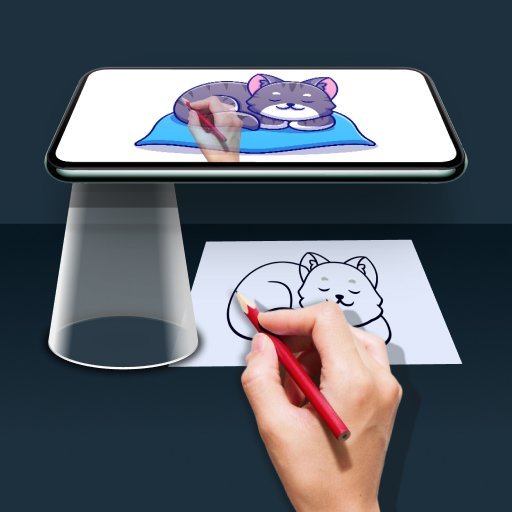
Tracing is a drawing and tracing app that helps users learn to sketch by transferring images into line work. It uses your phone's camera to overlay a transparent image onto your drawing surface.
Key Features
Image Tracing
Select an image from your gallery or capture a new one to convert it into a transparent outline for tracing onto paper.
Camera Overlay
The app displays a transparent version of your chosen image through the camera, allowing you to accurately draw it on a physical surface.
Learn to Draw
This app serves as a tool for aspiring artists to practice their drawing and tracing skills by simplifying the process of transferring images.
How to Use Draw Easy: Trace to Sketch
Choose an image from your gallery or take a new photo. Apply the filter to make it transparent, then hold your phone over your drawing paper. Trace the visible outline onto your paper as you look at your phone screen.
Who Is It For?
This app is designed for individuals interested in learning or practicing drawing and tracing.
- Aspiring artists wanting to learn drawing.
- Hobbyists looking for a simple tracing tool.
- Users who want to replicate images through line art.
Things to Know
Storage Access
The app requires permission to access your device's storage to load images for tracing and drawing.
Camera Access
Camera access is necessary for capturing new photos and for the app to overlay the transparent image for tracing.
Download Draw Easy: Trace to Sketch


APK files are verified for safety. Download with confidence.