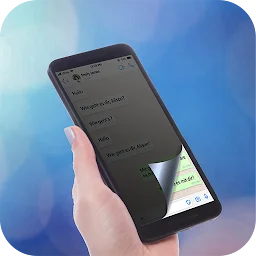
- Google Play price
- free
- Android installs
- 1M+
- Platforms
- Android
- Developer
- Tech Brain Apps
- Category
- Personalization
- Source
- App listing
Screenshots


About Screen Guard - Privacy Display
This app provides a privacy display filter to obscure your phone screen from onlookers. It enhances mobile privacy in public by making content difficult for others to see while remaining clear for the user.
Key Features
Privacy Display Filter
Apply a privacy display filter to obscure your phone screen from onlookers, enhancing your mobile privacy. Adjust opacity for a balance of visibility and privacy.
Adjustable Coverage
Control the size and coverage of your privacy display overlay. This allows you to hide either the full screen or specific partial areas as needed.
Night Mode & Dimmer
Utilize the built-in screen dimmer and night mode. This feature reduces brightness to protect your eyes and enhance privacy, especially in low-light conditions.
How to Use Screen Guard - Privacy Display
Open the app and enable the privacy filter with a single tap. Adjust the opacity and coverage area to suit your current needs, then use your phone normally in public.
Who Is It For?
This app is for individuals who wish to protect their mobile screen privacy.
- Maintaining privacy in public spaces
- Preventing others from viewing sensitive information
- Reducing eye strain with screen dimming
Things to Know
Compatibility
The privacy screen guard works with all apps, ensuring your content stays secure across social media, messaging, and browsing applications.
Customization
Easily adjust brightness, screen color, and coverage areas. Personalize your privacy experience with multi-color filter options.
Download Screen Guard - Privacy Display


APK files are verified for safety. Download with confidence.